Fortuna League AR Fan Experience: AR Photos with Virtual Players via Digital Signage
Pioneering Digital Signage with Augmented Reality – Revolutionizing Fan Engagement and Brand Promotion
The Challenge
Fortuna League wanted to move beyond passive advertising around matches and give soccer fans a way to feel closer to their favorite players, while creating a shareable, brand-boosting moment at the stadium and other key locations.
The Solution
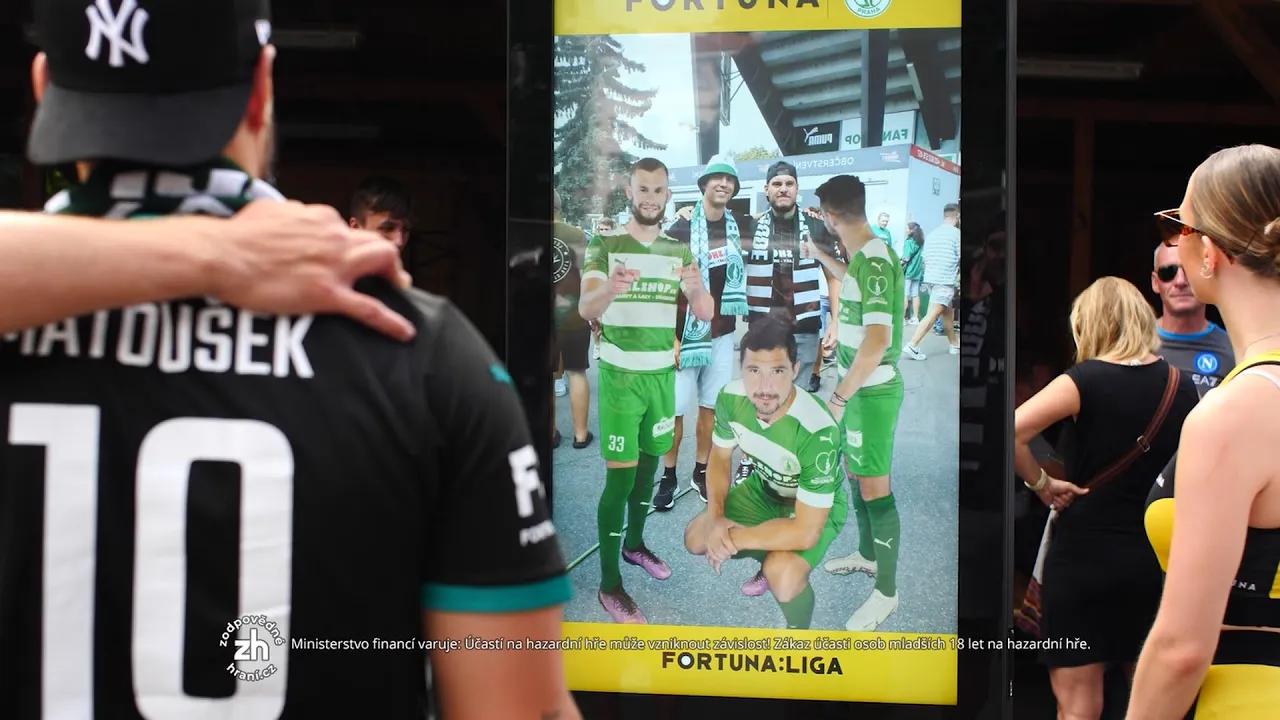
TapGest built interactive digital signage, placed around the stadium and other key locations, paired with a dedicated Fortuna League app. Fans scan a QR code on the signage with the app to activate an augmented reality feature that places virtual representations of their favorite players into the real-world background behind them.
The Visitor Experience
Fans open the Fortuna League app, approach a digital signage unit and scan its QR code to activate AR. They pose with a virtual player for an AR photo, then share the result on social media from the app — turning each interaction into organic reach for the brand.
Implementation
The AR software places the virtual players into the live camera view so they sit naturally in the real-world scene, and the QR code on each signage unit links the screen to the app that captures the photo.
Technology Setup
Three pieces make up the deployment: the digital signage units placed around the stadium and other key locations, a QR code on each unit that hands the fan off to the Fortuna League app, and the AR layer inside that app which composites a virtual player into the phone's live camera view. Nothing is installed at the venue beyond the signage itself, and the photo is captured on the fan's own device — which is also why the sharing step is native to the app rather than dependent on on-site infrastructure.
Results
The signage gave Fortuna League a fan-facing activation at the venue rather than another static placement: fans who scanned the QR code left with an AR photo alongside a virtual player, and the sharing step in the app carried the branded image onto their own social feeds. We do not publish participation, reach or revenue figures for this campaign.
Frequently asked questions
How do fans activate the AR experience?
By opening the Fortuna League app and scanning the QR code shown on the digital signage unit.
Can fans keep their AR photo?
Yes — the app lets fans share their AR photo with virtual players directly to social media after capturing it.
Why is the photo taken in the app rather than on the screen?
Because the fan already carries a camera and a social account. Capturing on the phone means the image is theirs the moment it exists, and sharing is one step instead of a printout or an email form at the screen.
Where were the signage units placed?
Around the stadium and other key locations associated with the league, so the activation was not limited to a single fan zone.